Exercise: Unproductive Flowchart
In the years following World War II, electronic computer makers and users developed techniques for programming of the newly invented devices. Fledgling manufacturers sought to communicate possible uses of their machines to customers and to train people to program them. To assist in these endeavors, they used special diagrams called flow charts. By the mid-1950s, such efforts had generated a new drawing instrument, the flowcharting template, a plastic rectangle with the symbols needed to draw flow charts cut out of it.
– National Museum of American History
Get in pairs and interview your classmate about the area of unproductivity you are interested in. Learn what keeps them "productive" and prevents them from being "unproductive" in the way you'd like to explore. For instance, if you are interested in creating a product that helps people explore new parts of the city, ask what prevents your partner from wandering outside of their typical path. Or if we set too high expectations for ourselves, ask why your partner doesn't set more reasonable goals?

- Based on your interview, choose one of the activities that keeps your subject "productive" and then create a flowchart documenting the process. Keep in mind concepts of sequence, conditions, and loops, and how we engage in these actions when performing an action, routine, habit, etc.
- After creating your flowchart, discuss it with your partner and brainstorm products that could help break them out of this behavior.
- Finally, create a flowchart documenting one of the processes in your new product. For instance, if you are trying to get people to explore new parts of the city, how could you encourage them to engage in Dérive? Or what would a process be that could help enable them to create a "doable" to-do list?
At the end of class we'll come together and share our findings and processes/flowcharts.
Note: It may be useful to look at historic and industry standards for flowcharting. For instance, workplace software Asana defines the following steps for creating flowcharts:
- Define the purpose and scope.
- Put your tasks in chronological order.
- Organize your tasks by type and flowchart symbol.
- Draw your flowchart.
- Confirm and refine your flowchart.
Deliverables
- Two flowcharts on A3 paper – one documenting a process that is too "productive" and one documenting a process that helps you be "unproductive"
Schedule
- 9/22: In-Class exercise
Flowchart References
- Does my Horse Need a Blanket by Auburn Agriculture
- Flowcharting Templates by National Museum of American History
- How to Name Animals in German by +Babbel
- What is a Flowchart? by Asana


Project References
- @On_Kawara
- Conditional Design by Studio Moniker
- Dérive
- doable list by Jisu Lee
- Everydayjohncage leonardo sonnoli
- Grapefruit
- On and On Kawara by Jesse Prinz
- Sol LeWitt: A Wall Drawing Retrospective c at MASS MoCA
- What is a "do-it"? by Google Arts and Culture
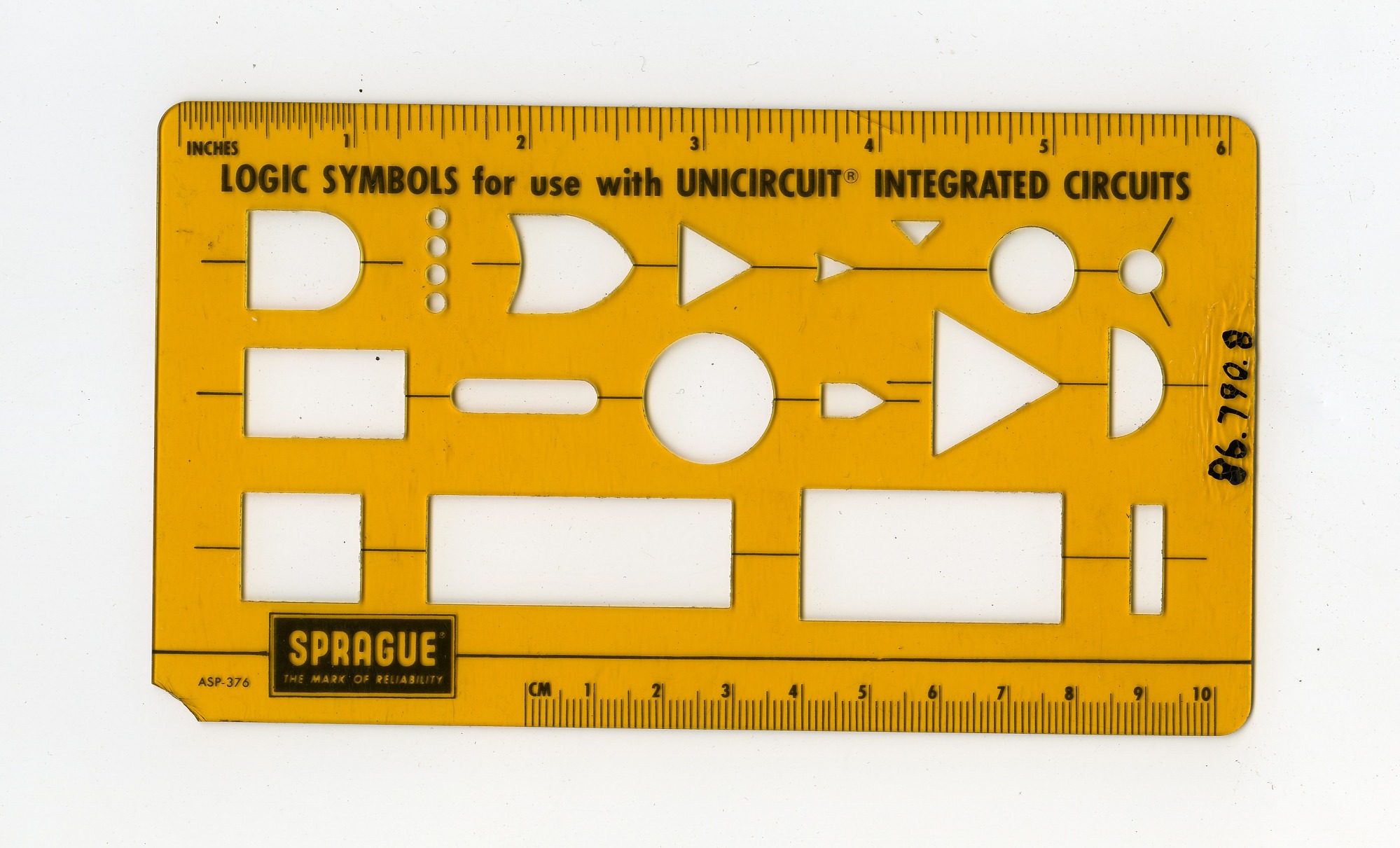
Sprague’s Logic Symbols for Use with Unicircuit Integrated Circuits
Due Sep 22 (1 day)
Topics: Algorithms, Processes, Interview, Research